View transcript
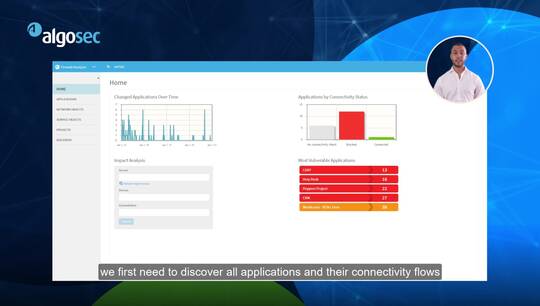
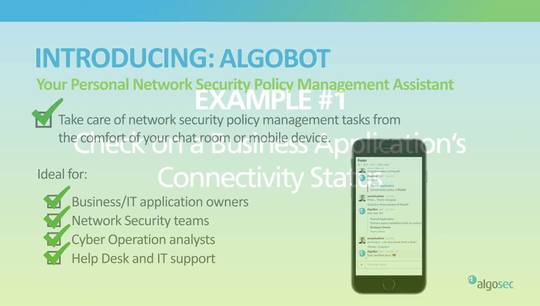
hello I'm an elk Uche Neal VP of technology at Al Busiek in the next few minutes I'm going to present and demonstrate how alga SEC can be used to address a very painful gap in DevOps implementations network connectivity and security network connectivity is traditionally a showstopper for DevOps processes DevOps enables agile application development and fully automated continuous integration and continuous delivery pipelines new applications or new versions can be deployed in minutes but as soon as some new connectivity is required the application developers must stop open a change request for the network security team out-of-band in separate systems and then wait for weeks until the required connectivity is established the solution I will present now is of course based on the donation of network security management specifically we will see how to seamlessly weave the network security parts into the DevOps process once we managed to do that security will no longer be a bottleneck for application delivery and that will make application developers happy of course however we will ensure that the security teams will still have the full control and visibility they need and allow continuous compliance to be enforced and as a bonus we will see how the process also automatically maintains a repository of all the business applications and their connectivity requirements and then we'll see how this serves both the application developers and the network security team so first a quick overview of the solution the application developer commits his new code which then triggers the continuous integration pipeline this process is typically implemented using the configuration management orchestration framework something like ansible puppet chef Jenkins the code is then automatically compiled and tested in different environments and in our solution we will introduce a new phase into this flow the connectivity phase this phase will automatically take care of the network connectivity aspects of the new application and then the flow will continue and application will be deployed in production as usual now let's take a closer look into this new connectivity phase so the input of this phase will be what we will call connectivity as code this is a list of logical flows required for this application to work both internal connectivity within the application and required connections to or from external systems or networks this machine readable file will be managed by the application developer alongside the code including version control etc this is very similar in concept to infrastructure as code which is widely used in cloud environments our solution will then check if any new connectivity requirements were declared and if so will automatically update alga Sec business flow this is our application connectivity repository if needed a new change request will automatically be created by business flow in Alba SEC 5 flow and that will perform a fully automated zero touch policy change workflow until all the changes in the different security devices or policies along the way in the network are fully implemented and this will allow our application to work if however no new connectivity requirements were introduced we will simply verify that the required connectivity is still in place and then we will return reassuring ok that will mean that the DevOps process can safely continue ok so let's see all that in action in our example we will use ansible as the orchestration and configuration management system so let's say we just developed a cool new application and we'll call it best app as I mentioned before will create a connectivity as code file in which we will declare what this applications connectivity requirements are let's have a look at this file we can see here that our application requires four flows the first is a connection from the external web clients to our applications web server over HTTP the second is some connection from the web server to the application back-end server then another connection from the app server to the database and one last flow from the application server to Google note that all of these flows are described in abstract manner source destination service without knowing anything about the underlying network infrastructure or whether there are any firewalls in the path or not or even where these servers are on Prem in the cloud public cloud private cloud etc the developer doesn't really know or even wants to know these things okay so now let's run ansible with the playbook we created this playbook reads the connectivity as code file and then implements the connectivity phase I described before in real life this will be part of the whole continuous integration pipeline of playbooks we can see that ansible shows that the change was required and was implemented successfully now let's see what actually happened in this example I have set up a Palo Alto Networks firewall and it is in the path of at least some of these new applications flows we can see that two new rules were just automatically created these rules allow the traffic to and from our new application this means that the pipeline could now continue all the way and deploy the application to production and everything will simply work pretty cool huh ok so that was the final result of the process but let's try to see what happened here step by step so I'm switching to algo sec business flow now and as I mentioned before here we have a representation of all the different flows in our application best app we can see here the four flows that we described regardless of whether they go through the firewall or not these flows were automatically created by ansible through the acoustic api's in this case only two of the floats actually go through the firewall we can also see that the connectivity status of our application is green meaning okay we even have the nice graphical diagram showing the connectivity of our application but let's try to understand how the change really happened on the firewalls as soon as the flows were created on business flow business law actually automatically triggered a change request with fire flow to change automation solution so we'll switch to Al gusik fire flow and we can see that the first step was to identify which firewall using path and we found the relevant one the Palo Alto one and then after that the next step would be an automated risk check in this case we actually see that the risk was detected some unauthorized ATT HTTP or HTTPS access but in this case I defined the flow so that it will continue any way it is possible to define conditions here so in certain cases it will continue completely automatically why whereas in other cases it will stop for a manual approval after the risk check it will continue to implementation and here the first step is to design the change you can see that only two rules needed to be added the other two flows are internal to the application and do not go through the firewall in this design stage it is also decided which objects are to be used which device groups from into zones etc and now that everything is ready the change is automatically being pushed through the API to the panorama and from there to the firewall ok so now our new application is in production and let's say we have a new revision for it in this example there are no new connectivity requirements so I'll be using the same JSON file as before when we get to the ansible flow we can see here that it runs the same connectivity phase as before only here this time it detects that no change was needed and therefore the cycle simply continues and the application is deployed in production I mentioned before that using business flow application owners have access to the information of their specific application alternatively instead of using the algo stick you I application owners can also use algobit the algo sec chat bot for slack or Skype for business so let's connect to slack and start chatting with algobit I would like to ask what is the connectivity status of my application something is wrong there and I want to know if the firewalls are to blame or not let's see looks like the connectivity status is just fine and the problem probably lies elsewhere okay so what just happened here we introduced a new automated phase to the DevOps life cycle the connectivity phase now most of the required security policy changes will be triggered automatically and implemented again completely automatically with no human intervention in the specific cases where the required connectivity is not trivial or pre approved it will automatically be escalated to the relevant security team for approval with all the details that you will need about the context of the business application which required them we now also have an up-to-date business application repository which bridges the gap between application developers or owners and the network security teams and last but not least while we implemented full automation we did not compromise on security and the process includes built in all the required checks and balances as well as the full documentation and audit trails thank you