hello I'm professor wool today we'll be
discussing how to automatically identify
business application connectivity needs
from network traffic so to set the story
assume you're running the network
security of your organization and you've
come to the conclusion that you need to
be more secure against internal
spreading of malware let's say
ransomware and to do that a common
strategy is to use segmentation and to
introduce east-west filtering into your
data center so you want to break up your
internal data center into segments and
introduce filtering in between them in
order to do that you need to understand
the traffic flows that go through the
data center so that you don't break
connectivity of business applications
when you're making the changes the
trouble is that this information is
often lacking there is there are a few
organizations that actually have good
record-keeping of all the network flows
in their data centers and so you have to
discover this information somehow now
the holy grail that you're trying to
reach is a high level of abstraction
such as what we have here in the corner
recognize that you that you have for
instance a payroll application in your
data center and that payroll application
relies on several servers that
communicate with each other in a
particular pattern getting that level of
information that level of abstraction is
what you're trying to achieve and that's
not easy because the information that
you have at your disposal is not at that
level of abstraction so where can you
start your discovery process in the past
we talked about using the firewall as a
source of information after all every
every connection going from inside the
data center outwards through the
firewall has to be documented in the
form of the firewall rule allowing that
traffic through so if you look at this
example you'll see that there is a rule
in the firewall allowing connectivity
from 10.1.1.10
to this external IP address so this
would be
flow from the server here out towards
the tax authority so you can definitely
recognize this flow and document it the
trouble is that firewall rules only
document traffic going through them
typically that would be north-south
traffic from inside the organization
towards the outside world or vice versa
and it doesn't give you a lot of
information about internal traffic going
inside the data center so how do you
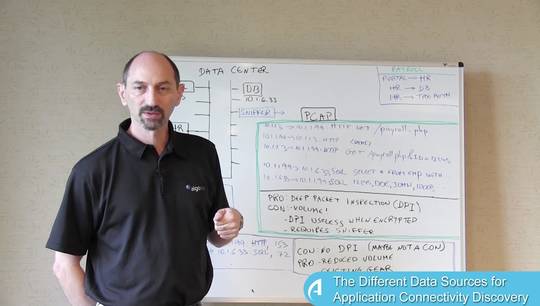
recognize that well one thing that you
can definitely do is connect the sniffer
to the network and record all the
traffic going through the going through
the sniffer so you'd get the voluminous
speak up file recording all the packets
that were captured and now you need to
make sense of this this is a lot of very
granular low-level information and you
need to go from this level of
abstraction to what you're trying to
achieve which is a higher level of
abstraction how do you go from this to
that so I'd like to suggest a few
directions that can help the first is
grouping the flows into meaningful
groups how do you do that well here's a
few things that you could consider one
is looking for shared IP addresses so
here in this example there's this
10.1.1.1 ein t 9 IP address that appears
in the destination of this flow and in
the source of these other flows if these
three flows all go through the same IP
address then it makes sense that they
are somehow logically connected and you
could group them into one application a
second thing that can assist is temporal
proximity which means that if you see a
packet let's say in this flow and then a
few microseconds later you see another
packet going from the destination here
to somewhere else then possibly these
two packets are causally connected one
caused the other to occur and that means
these flows are somehow logically
related to each other and you can use
that information to group them as well
once you've done the grouping and you
recognize which flows are related to
which other flows then you need to give
things names after all the people that
run the payroll application don't really
know the IP addresses by heart they need
to see names of things so how can you
get this naming information well you
have a few sources that you can rely on
one is the packet inspection you could
use software to look inside these
packets that you've captured and search
for interesting strings in them
typically HTTP for instance has many
useful strings than the headers in the
structure path names resource names and
maybe the word payroll is going to pop
up and you recognize that the traffic is
for that application a second thing that
you can definitely use as DNS you can
reverse DNS lookup on all the IP
addresses that you get and get at least
their DNS names and from that maybe you
will figure out what these the different
pieces are doing and after you've done
all of this technical homework you can
always go to the humans and ask them if
you give them enough clues they'll be
able to complete the picture so for
instance you found the shared IP address
that appeared multiple times you've done
DNS lookup and you discover that this
system is actually called the HR server
so using that you can go to the IT
department and ask the people that run
the HR system what the other pieces are
and maybe they will tell you what these
things are and they'll give you the name
payroll to label the whole application
the take-home message here is that there
are systems out there that can do these
types of things can process a pickup
file and discover the business
applications from it in a very automated
way that saves you a lot of time and
helps you bring the information from the
very low granularity it starts with to
the level of abstraction that your users
and managers expect thank you for your
attention